Showing posts with label photoshop. Show all posts

Thursday, October 30, 2008

Now You See Me, Now You Don't!


Working with webpage designing, I bump into a webpage maker (wpm) software. So I was hooked with a software I consider something new. I did not notice how much I enjoyed it not until I learn that its about 2AM when I shutdown my pc.

The software I had at first, downloaded for free, was a trial version of wpm. It is valid only for 15days, if not registered. Luckily, I came to learn where to get a registration code, and eureka! its now registered.

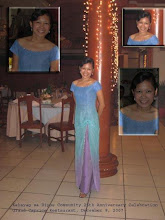
Inevitable for webpage designer not to use a photoshop. So I found some of our lovely pictures in Camiguin. I uploaded some edited photos in friendster and of course I would love to post them here too.

So first, I decided the photo to be edited, to insert the copyright thing in it. Then later decided that I love the sand more. So sorry for the faces were erased here. Hehehe. Thus you can see the sand in the pictures above and don't see them below.


Saturday, October 11, 2008

November...

Its not a movie...but next month is November...so here I am enjoying my newly formatted pc (will blog why soon). I re-installed the things I love for my program files.


I successfully found the back-up files in my old cd, and luckily photoshop was there. So I tried to refresh the things I needed to for photoshop editting, I badly need for webpage designing.

Calendar came to my mind, when I found an old photo of mine way bad 1998. We had our necklacing ceremony at that time when a photo was capture, and the photographer added a calendar with it. It was a beautiful picture, but I hate the calendar in it so I framed my picture with my sister's picture covering the calendar hehehe.

Ok so I am browsing the internet for some great ideas. To make a calendar with my photo will be as easy as using the photoshop unlike in 1998. So I am posting the finished product, with an edited picture (where the background was taken from Singapore but without me, then I decide to paste my photo in it to make you all believe I once visited the said country hehehe of course still using photoshop a year ago). Also since next month is November, I decided to make an advance calendar for you all. Enjoy this link too for easy calendar making with photoshop.


...


Tuesday, July 29, 2008

Photoshop for a Logo

Yes I want to share something here. All about photoshop. It is one of the software applications used for most of the graphic artist.


Today, I was asked to make a logo to be used in an intramurals. But of course, am not one of the graphic artist, who can easily do it. So I asked someone else's help.

It was Eman who helped me do this logo, I am about to share to all of you. I was tasked to submit it early tomorrow. Honestly, I missed our teachings in KSD just to finish this one. I felt guilty, but very thankful God gave me His angels along the way in finishing the logo.
Angels' Heaven Sent
The student assitant of MPSC, who helped me come up with the logo, Eman. Ann who also helped one way or the other. Pol who provided us the dinner, which made me impossible to miss a meal. And CEPALCO and Philcom for the commercial power and internet.

For photoshop designs, you can contact me for tutorials and artist works. Hope you all give your comment about the logo I am sharing here. God bless!